
SLAM GO POST

Price range: $1,000.00 through $2,500.00

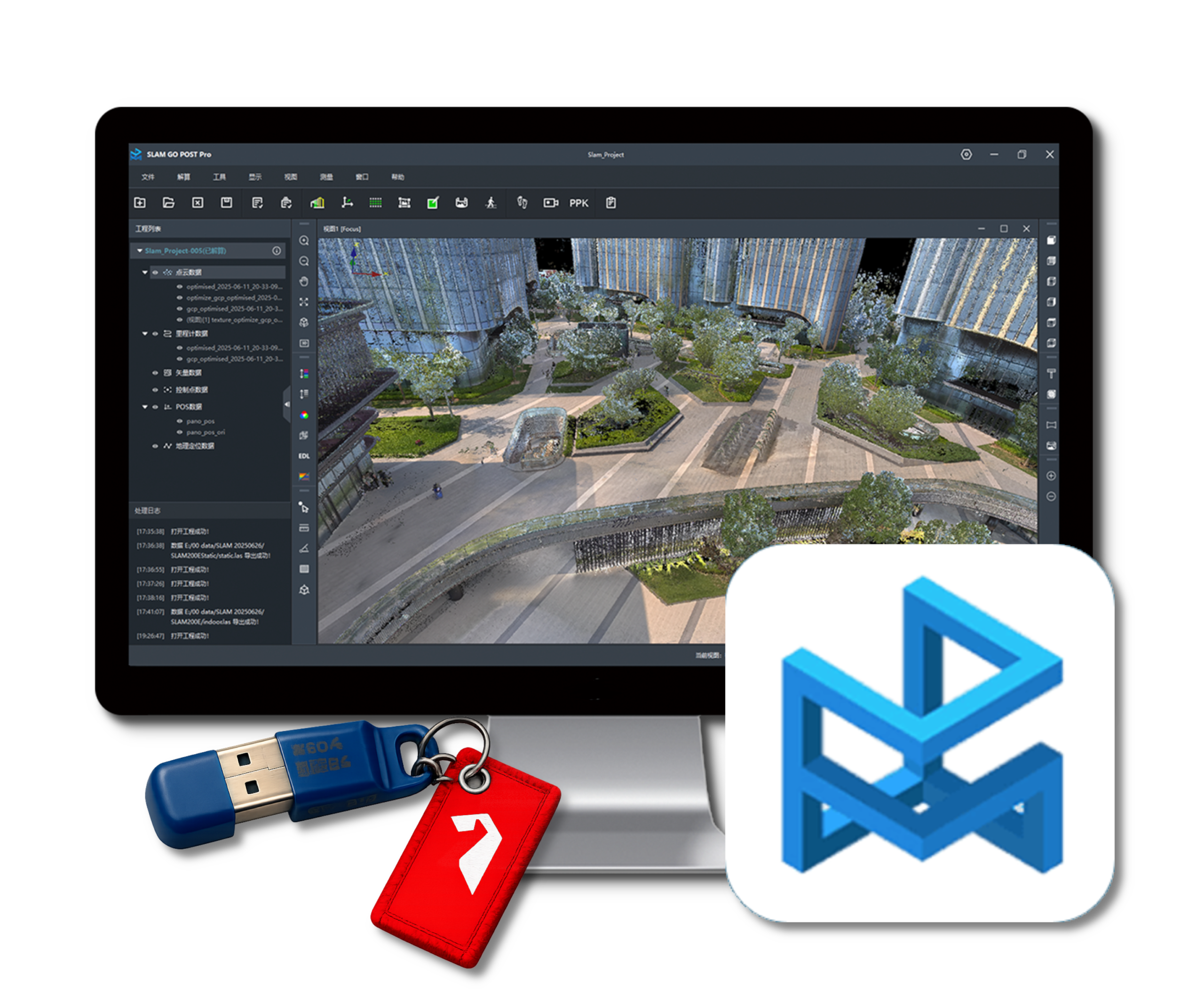
SLAM GO POST is the desktop processing software used with Feima SLAM scanners to turn field-captured scan projects into clean, usable deliverables. The software supports point cloud processing, optimization, colorization, panoramic image generation, 3D Gaussian Splatting workflows, measurement tools, and export to common formats such as LAS and E57 for use in existing CAD, GIS, survey, and reality capture workflows.

A lifetime SLAM GO POST license is included with each scanner purchase. This listing is for Companion Licenses, allowing scanner owners to add an additional software seat for processing, review, or production support. Companion Licenses are available as a Dongle License for $2,500 or an E-License for $1,000.

The Dongle License is a portable USB license for use across compatible Windows workstations. The E-License is a computer-bound license activated on a specific Windows workstation.

Companion Licenses are available for customers who own Feima SLAM scanners. Customers may purchase one dongle or e-license Companion License for each scanner they own. Additional licenses may be available on a case-by-case basis.

Requires a compatible gaming-class Windows computer with an NVIDIA graphics card. See system requirements for details.

SKU: 515.00006.005 Category:

Description

SLAM GO POST Processing Software

SLAM GO POST is the desktop processing and project management software for Feima Robotics SLAM LiDAR systems. It provides the workflow required to transform raw scanner data into deliverables including georeferenced point clouds, colorized point clouds, panoramic imagery, and 3D Gaussian Splatting (3DGS) datasets.

Designed for both new and experienced users, SLAM GO POST combines guided project creation, automated processing workflows, visualization tools, and export capabilities within a single application. The software is optimized for rapid project turnaround while maintaining compatibility with established survey, engineering, GIS, BIM, and reality capture workflows.

Core Workflow

  • Import raw project data from supported Feima SLAM scanners
  • Process projects using streamlined one-click or batch workflows
  • Generate optimized and colorized point clouds
  • Create panoramic imagery and immersive visualization products
  • Support emerging 3D Gaussian Splatting (3DGS) workflows when paired with compatible panoramic cameras
  • Export deliverables for use in third-party software environments

Point Cloud Processing & Visualization

  • High-accuracy SLAM processing and trajectory optimization
  • Point cloud denoising and refinement tools
  • Colorization using onboard or external panoramic imagery
  • Multiple rendering modes including texture, elevation, intensity, EDL, and x-ray visualization
  • Interactive viewing, measurement, clipping, and profile tools
  • Project-based workflow supporting multiple datasets and batch processing

Geospatial & Survey Support

  • Coordinate system management and georeferencing workflows
  • GNSS and PPK processing support for compatible systems
  • Control point integration and registration tools
  • Volume calculations, change analysis, framing, and project reporting tools
  • Point cloud registration and alignment utilities

Open Deliverables

One of the most valuable aspects of SLAM GO POST is its ability to produce deliverables that integrate seamlessly into existing workflows. Processed datasets can be exported to widely supported formats including LAS and E57, allowing customers to continue working within their preferred CAD, GIS, BIM, engineering, surveying, and reality capture software environments.

Licensing

Every Feima SLAM scanner includes a lifetime license for SLAM GO POST. This product listing is intended for customers who require additional software seats beyond the license included with their scanner.

  • Dongle Companion License — USB license that can be moved between compatible Windows workstations.
  • E-License Companion License — Software license activated on a specific Windows workstation.

Customers may purchase one Companion License for each scanner they own. Additional licensing requirements may be accommodated on a case-by-case basis depending on organizational needs and deployment requirements.

System Requirements

  • 64-bit Windows operating system
  • NVIDIA graphics card with CUDA support
  • Gaming-class workstation recommended
  • Additional RAM and GPU resources recommended for large projects, colorization workflows, and 3DGS processing

SLAM GO POST Feature Highlights

Category Feature Description
Project Processing One-Click Processing Automated workflow for rapid project generation from raw scanner data.
Batch Processing Queue, configure, and process multiple projects.
Guided Project Setup Streamlined project creation and data organization.
Multiple Acquisition Modes Supports handheld, backpack, vehicle, and specialized capture workflows.
Point Cloud Processing SLAM Processing Engine High-accuracy SLAM trajectory computation and point cloud generation.
Point Cloud Optimization Sparse and dense optimization modes for improved project results.
Point Cloud Orientation Rigid and non-rigid orientation workflows.
Noise Reduction Statistical denoising and isolated point removal tools.
Dynamic Object Filtering Removes pedestrians, vehicles, and other moving objects from datasets.
Registration Point Cloud Registration Align and merge overlapping point cloud datasets.
Point-to-Point Registration Manual registration workflow using common points, shared features, or survey control.
Multi-Project Stitching Combine multiple scan projects into a unified dataset.
Control Point Management Import, manage, and display control points for registration and survey control workflows.
Accuracy Reporting Generate project accuracy and quality reports for review and documentation.
Georeferencing Coordinate System Management Support for local, projected, and custom coordinate systems.
Custom Coordinate Systems Create custom coordinate systems and ellipsoid definitions.
GNSS Integration Supports georeferenced SLAM acquisition workflows with compatible systems.
PPK Processing Post-process GNSS data for compatible acquisition workflows.
Colorization & Imagery Point Cloud Colorization Generate colorized point clouds from integrated or external imagery.
HD Colorization Enhanced colorization modes for improved visual clarity.
Panorama Generation Create stitched panoramic imagery from project data.
External 360 Camera Support Supports panoramic camera workflows including Insta360-based capture.
3D Gaussian Splatting 3DGS Project Preparation Prepare scan and panoramic camera data for Gaussian Splat workflows.
Local 3DGS Training Generate splat-ready datasets on local workstations.
Cloud 3DGS Training Support Optional cloud-based training workflow.
Analysis & Measurement Distance Measurement Measure distances directly within the point cloud.
Area Measurement Calculate planar and surface areas.
Volume Calculations Earthwork and stockpile volume computations.
Change Analysis Compare datasets to identify and quantify change.
Profile & Section Views Create profile views, sections, and cut views for inspection.
Visualization Multiple Rendering Modes Elevation, intensity, texture, EDL, HQS, x-ray, and perspective views.
Panoramic Viewer Navigate panoramic imagery alongside point cloud data.
Multi-View Workspace Use multiple synchronized viewing windows for project review.
Roaming Navigation Review projects using immersive navigation tools.
Deliverables & Export LAS Export Export industry-standard point cloud deliverables.
E57 Export Export universal reality capture data for third-party workflows.
Colorized Point Cloud Export Export processed and colorized point cloud deliverables.
Digital Orthophoto Output Generate orthographic imagery products from selected point cloud data.
Format Conversion Convert project data for downstream CAD, GIS, BIM, survey, and reality capture workflows.

SLAM GO POST System Requirements

SLAM GO POST is a Windows desktop application that requires a compatible 64-bit Windows computer with NVIDIA graphics support. A higher-performance gaming-class or workstation-class computer is recommended for large projects, colorized point clouds, panoramic imagery, and 3D Gaussian Splatting workflows.

Requirement Minimum Recommended Notes
Operating System 64-bit Windows 7, 10, or 11 64-bit Windows 10 or 11 64-bit operating system required.
Processor (CPU) x86_64 architecture processor Intel 13th Gen 8-core processor or better AMD, Intel, and other x86_64-compatible processors are supported.
Graphics (GPU) NVIDIA GeForce RTX 2060 or higher NVIDIA GeForce RTX 4060 or higher Dedicated NVIDIA GPU required. AMD and Intel graphics are not currently supported.
Memory (RAM) 16 GB 64 GB 32 GB or greater is recommended for larger projects.
Graphics Driver CUDA 12.x compatible driver Latest NVIDIA Studio or Game Ready Driver CUDA 12.1 or newer is recommended for colorization and advanced processing workflows.
Storage SSD recommended High-speed NVMe SSD Large projects, colorized point clouds, panoramic imagery, and 3DGS datasets can require substantial storage capacity.

Performance Recommendations

For optimal performance, Reality Systems recommends a modern gaming-class or workstation-class Windows computer equipped with:

  • NVIDIA RTX 4060-class GPU or better
  • 32–64 GB RAM
  • Intel Core i7/i9 or AMD Ryzen 7/9 processor
  • NVMe solid-state storage

Higher-end hardware may significantly reduce processing times for large projects, high-definition colorization, panoramic image generation, upsampled point clouds, and 3D Gaussian Splatting workflows.

Additional information

Companion License

Dongle License $2,500, E-License $1,000